Play Solitaire Online for Free (No Signup Required)
Have a break and a little quality time with yourself - have a game of Solitaire. Take the daily challenge or comfort yourself with a winnable deal. Either way you will have fun and keep your mind sharp while doing it.
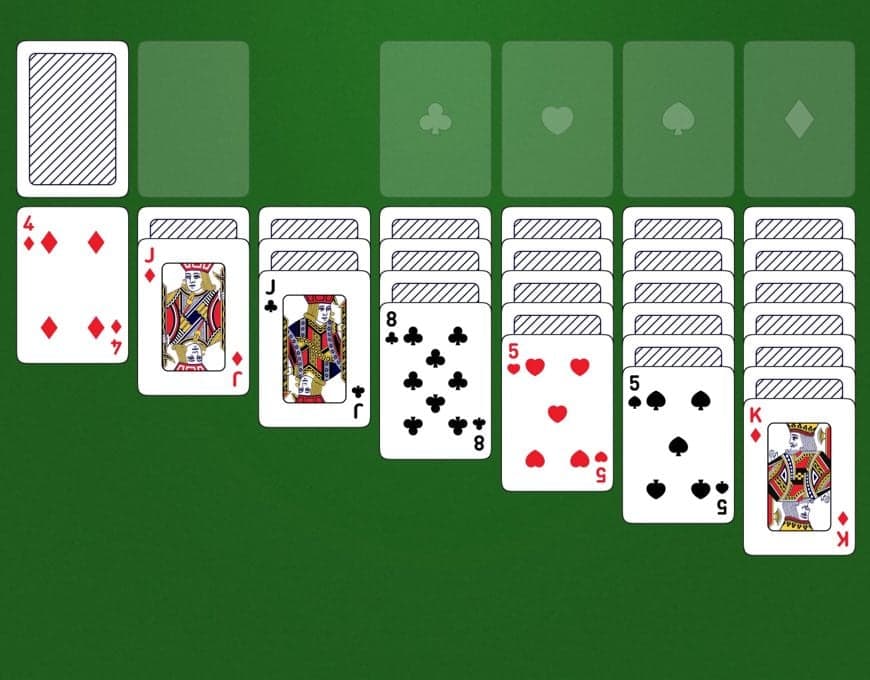
Who doesn't love a good old game of Patience? My grandmother taught me FreeCell and Spider Solitaire as a kid, with a ragged set of cards in the summerhouse. Now, she is joyfully playing my digital version. I've made all these games so straightforward and self-evident that she has no trouble. I hope you will enjoy them just as much as my grandmother does, along with the more than 1 million players who come here every month for a break.
I've done my best to give the games that classic Solitaire feel with smooth gameplay, a modern design, and all the well-known features such as undo if you regret a move, hint if you need a little help and restart when you want a second chance at a game.
If you're a regular player, you can customize your deck of cards to one of my 7 different designs or change the background color to one of your liking.
Whether you accept the daily challenge, take a random shuffle, or treat yourself to a winnable deal, you have more than 500 free Solitaire games to choose from. They will keep your mind in shape because you're up against your toughest opponent: Yourself!
Have fun, and stay sharp!
Holger
4.8
10077 ratings

These games are fun, but most importantly, they help me stay focused despite the many distractions in my life.
Edmund Wail
When you're older - like me - you need something to challenge your brain to help you stay sharp. These games help me do just that.
Paul Hunter
How to play Solitaire Turn Three
This summary is for all of you who have played the game before but need a refresher on how to play. If you're a beginner, check out my guide on how to play Solitaire, complete with illustrations and a video tutorial.
The game's goal is to move all cards from the tableau onto the foundation piles. If you manage to do that, you've won!

The game consists of 4 main areas:
- The tableau: Where most of the game takes place. You move the cards around in seven columns.
- The stock: The pile of cards face down from which you draw.
- The waste: Where the cards from the stock will be laid out face up.
- The foundation: Where you want all your cards to end up ordered by suit and rank.
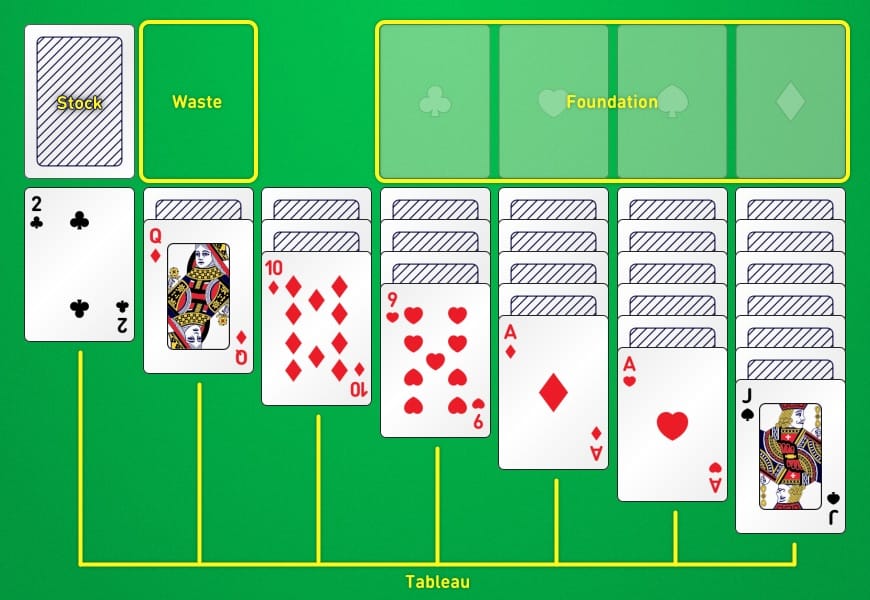
The foundation piles are ordered by suit and rank. Each foundation has one suit, and cards must be placed on the foundation in order (ace, two, three, and so on). You can use the following moves to move cards around between the tableau and the foundation:
- Move cards from stock to waste: You can choose between a game with either one or three cards turning at a time.
- Move a card from waste to a foundation: The card you're moving has to be one rank higher than the top card of the foundation and of the same suit.
- Move a card from waste to a tableau: This time, the card you're moving has to be one rank lower than the card you place it on, and of the opposite color.
- Move a card from the foundation back to the tableau: If need be, you can move a card from the foundation back onto the tableau.
- Move one or more cards from one tableau to another: You can move one or several cards from one column to another on the tableau if the card rank in the column you're moving to is one higher than the card you're placing onto it. Also, the color must be the opposite of the card you're moving.
- You can move a tableau card onto the foundations: The card you're moving has to be one rank higher than the top card on the foundation you're moving it to, and it has to be of the same suit. These types of moves happen automatically. You can turn off autoplay under settings.
Good luck while playing!
Get a Solitaire game widget on your own website
Would you like to give your own followers the opportunity to play this classic card game on your website and make them stay there a bit longer? Easy-peasy! Use the simple embed code created here below on your website, blog, or WordPress page, and you're on your way.
This HTML embed code works as a plugin script. It is ad-free and contains no cookies, so no GDPR or cookie banners need to be added. Just go ahead and implement this fun widget on your site:





Solitaire Strategy: How to Win
A handful of habits separate a stalled game from a solved one.
Send Aces and Twos up straight away
Aces and deuces do no work in the tableau, so there's no reason to hold them. Turn up the A♠ and send it to the foundation at once, then let the 2♠ follow the moment it appears.
Otherwise, keep low cards in play
Low cards are more useful in the tableau than on the foundation. If the 5♦ can go either to the foundation or onto a black 6 (6♣ or 6♠), keep it in play, so it still gives a black 4 somewhere to land later.
Uncover the biggest face-down pile first
Turning hidden cards face up is the whole game. Work the column hiding the most face-down cards first, even if a tidier one is tempting.
Don't empty a column without a King ready
An empty column only helps if you can fill it, and only a King (or King-led run) may move into a gap. Before clearing a column's last card, make sure a King is ready to move in.
When two plays are possible, pick the one that frees more
If either red 7 could move onto the 8♠, and the 7♥ covers three face-down cards while the 7♦ covers none, move the 7♥, and that play turns a hidden card face up.
Think one color ahead
Every tableau build alternates color, so plan the next card before you commit. Move the J♣ onto the Q♥ and you now need a red 10 (10♥ or 10♦), so don't bury both red tens first.
Cycle the stock before you rush
In Turn 3, only every third card reaches the top of the waste, so run through the whole stock once to see what's there. If a card you need is buried, plan the moves that will bring it up.
Shift the Turn 3 rhythm to reach a buried card
Playing one waste card before you recycle the stock changes which cards land on top next pass. If the 9♠ you want keeps landing mid-group, play a waste card earlier in the pass, then recycle, and the 9♠ shifts within reach.
How hard is Solitaire?
Harder than it looks, if I'm honest. Here's how it tends to go on this site:
- Turn 3 is the tricky one, won about 27% of the time across 296 million games
- Turn 1 is much friendlier, with just under half of 100 million games won
- Skill counts for far more here than luck
- Choose a Winnable deal and you'll always have a way through
Frequently Asked Questions (FAQ)
If your questions aren't answered by our FAQ below, please reach out at contact@online-solitaire.com, and we'll do our best to help you.
How is Turn 1 different from Turn 3?
The only real difference is how many cards you flip from the stock at a time. In Turn 1 you flip one card, so every card gets its turn on the way through. In Turn 3 you flip three at once and only the top one is playable, so a good chunk of the stock stays out of reach. That's what makes Turn 3 the harder version, and it's the one this page deals by default. Want every card just one flip away? Play Turn 1 Klondike instead.
Can I download the game as an app?
You can download this classic card game for free on Windows™, Mac™, Linux™, or Android. There is no iOS app right now, but you can play the web version on iPhone and iPad. I even have a version for Amazon Kindle and Google Chrome as well.
How do you set up the game?
The tableau piles are numbered from one to seven. The first pile has one card on it, and the second has two, and so on. The top card on each tableau is turned face up, and the cards below are turned face down. The cards left after being moved to the tableau are placed face-down on the stock. Both the waste and the foundations start without any cards on them.
How does scoring work?
I use the traditional scoring that you know from the Microsoft Windows™ games. It goes like this:
- Waste to tableau: 5 points
- Waste to foundation: 10 points
- Tableau to foundation: 10 points
- Turn over tableau card: 5 points
- Foundation to tableau: -15 points
Are all the deals winnable?
Not every one, no. Like a real shuffle, a random deal can hand you a game that simply can't be solved, and that's part of the challenge. If you'd rather never hit a dead end, choose the Winnable shuffle, where the deals all have at least one solution, so any loss is down to strategy rather than luck.
What's the difference between the shuffle options?
Random shuffle deals a genuinely random game, winnable or not. Winnable shuffle guarantees a solvable deal. Easy, Medium, and Hard shuffle each bias the deal toward that level of challenge. The Daily challenge is one fixed deal everyone plays on the same day, handy for comparing your result with other players.
Can I undo a move or get a hint if I'm stuck?
Yes. Undo steps back through your moves one at a time, so you can explore a line and reverse it if it doesn't work out. Hint points you to a useful move when you can't spot one.
How do I move the cards?
Drag and drop is all you need. Pick up a card, or a valid run of cards, and drop it onto the pile you want. On a phone or tablet it's the same, just with your finger. When a card is clearly headed for the foundation, autoplay sends it up for you.


